What is Kody Pocztowe PL?
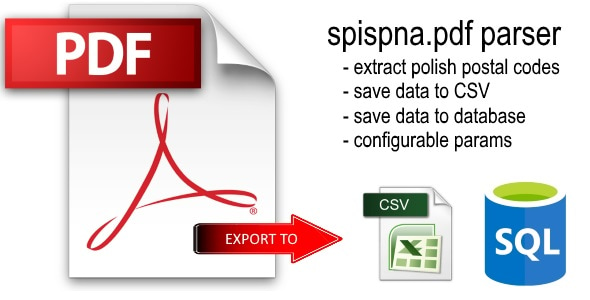
Kody Pocztowe PL ("Polish Postal Codes") turns the official spispna.pdf register published by Polish Post into a structured, searchable database. It parses roughly 115,000 postal codes — covering cities, streets, house numbers, communities, counties, and voivodeships — and gives you an admin panel, a public-facing search widget, and a token-protected REST API to query that data from your own applications.
One PDF In, a Full Lookup Service Out
Upload the official PNA register PDF (or let the app download it directly from Polish Post), run the parser, and you have a live, indexed MySQL database — plus a search page, an embeddable widget, and an API — without writing a single line of parsing code.
Feature Overview
Installation
Kody Pocztowe PL ships with a one-click web installer — there is no Composer step and no manual SQL to run by hand.
Upload the files
Extract KodyPocztowePL.zip and upload the contents to any folder on your PHP 8.0+ hosting account via FTP, SFTP, or your control panel's file manager.
Run the installer
Open install.php in your browser. It checks PHP requirements, creates the MySQL database schema, and lets you set your admin login and password.
Delete install.php
Once setup is complete, remove install.php from the server (or use the one-click Delete install.php button shown in Configuration) to close the installer as a potential entry point.
Load the PDF register
Log in, go to PDF Parser, and either upload the official spispna.pdf file from disk or click Download from URL to fetch it directly from Polish Post.
Parse into the database
Select which of the 4 parts to load and click Start Parsing. Progress streams in real time — the full register is large, so parsing runs page-by-page over AJAX and can take several minutes.
install.php remains on the server — running it again could overwrite existing data.Login & Security
Access to the admin panel is protected by a session-based login system, with every state-changing request guarded by a CSRF token and every database query built with PDO prepared statements.
install.php is still present and offers a one-click button to delete it, closing off the installation flow once setup is finished.install.php deleted whenever the application is publicly reachable.Dashboard & Database Status
The dashboard is the first screen after login. It shows database connection status, your license plan, the loaded PDF version, and a per-table breakdown of how many records are stored.
| Table | Content |
|---|---|
| Part 1 | Cities and streets |
| Part 2 | Institutions |
| Part 3 | Polish Post Offices |
| Part 4 | Polish Post Units |
Each table row shows whether it is Filled or Empty, along with its record count, so you can see at a glance which parts of the register still need to be loaded.
PDF Parser
The parser reads the official spispna.pdf register page by page and writes the extracted records into MySQL (or a downloadable CSV file).
Loading the Source File
You can either upload a PDF from disk or let the app download it from a URL — by default the official Polish Post address, configurable in Configuration if it ever changes. After loading, the app automatically detects the file's version (month and year of release).
Parsing Options
| Option | Effect |
|---|---|
| Keep existing data | Skip duplicates, add only new entries |
| Clear tables before loading | Truncate the table, then import fresh |
| Recreate tables | DROP + CREATE — rebuild the table structure from scratch |
Parsing targets either the MySQL database or a CSV export, and you can choose which of the 4 parts to process in a single run. Progress is streamed live in the parsing log, with a Stop button to halt after the current page.
Quarterly Updates
Polish Post publishes a new PNA register roughly every three months. To refresh your data: upload the new PDF, choose Clear tables before loading (or Keep if you only want to append new entries), and start parsing again.
Index Optimization
After a full import, use the Optimize Indexes button in Configuration. It runs ANALYZE + OPTIMIZE TABLE across all four tables, defragmenting the index tree and refreshing the query optimizer's statistics.
Search Engine & Public Widget
Once data is loaded, records can be searched from the admin panel — and optionally exposed to the public as a standalone page or an embeddable widget.
00-001 or 00.Each result row shows the postal code, city, street and house-number range, district (gmina), county (powiat), and voivodeship. Results are paginated — the number of rows per page is configurable in Configuration.
Public Search & Embeddable Widget
Enabling public access to the search engine in Configuration exposes a search page that works without any login — ready to be shared directly with customers or embedded on your own website via a ready-made <iframe> snippet generated on the same settings page.
| Setting | Purpose |
|---|---|
| Enable public search | Exposes the search page without requiring login |
| Query limit / IP / hour | Rate-limits anonymous public searches to protect the server |
| Widget embed code | Ready-to-paste <iframe> HTML for embedding the widget on any site |
Statistics & Charts
The Statistics page gives a quick overview of how the search engine and API are being used, plus a breakdown of your loaded data.
REST API Documentation
The JSON REST API lets external applications look up postal codes programmatically. It requires a valid API token (Pro plan or higher) and responds over a single endpoint, api/index.php.
Authentication
Pass your token in one of two ways:
Authorization: Bearer YOUR_TOKEN_HERE
GET /api/index.php?action=lookup&token=YOUR_TOKEN_HERE&pna=00-001
The header method is recommended for production use since URL-embedded tokens can end up in server access logs. The URL parameter is convenient for quick tests or integrations (e.g. an embedded iframe) where setting custom headers isn't practical.
Lookup Endpoint
A single action=lookup endpoint accepts one of three mutually-exclusive search parameters:
| Parameter | Description | Required |
|---|---|---|
pna | Postal code, e.g. 00-001 | one of pna / city / street |
city | City name | one of pna / city / street |
street | Street name | one of pna / city / street |
page | Page number (default 1) | optional |
per_page | Results per page, max 100 (default 10) | optional |
parts | Search all 4 PDF parts (1) or only part 1 (0, default) | optional |
The search term must be at least 2 characters long.
Response Format
Success (HTTP 200):
{
    "success": true,
    "data": {
        "total": 42,
        "page": 1,
        "per_page": 10,
        "results": [ { "pna": "00-001", "city": "Warszawa", "street": "..." } ]
    }
}
Error (HTTP 400 / 401 / 403 / 429):
{
    "success": false,
    "message": "Nieprawidłowy lub brak tokenu autoryzacyjnego."
}
HTTP Status Codes
| Code | Meaning |
|---|---|
| 200 | Success |
| 400 | Missing required parameter or query too short |
| 401 | Missing or invalid authorization token |
| 403 | Feature requires the Pro plan, or the token's IP whitelist blocked the request |
| 429 | Rate limit exceeded for this token |
Access-Control-Allow-Origin: *) so it can be called directly from browser-based front-ends, not just server-to-server.Managing API Tokens
Every API call is authenticated with a token created and managed from the API Tokens page in the admin panel.
0 means unlimited.192.168.1.* or 10.0.*.*. Leave the list empty for no IP restriction.| Plan | Token limit |
|---|---|
| Basic | API not available |
| Pro | Up to 3 tokens |
| Developer | Unlimited tokens |
System Requirements
Kody Pocztowe PL is a self-hosted application — install it on any standard PHP/MySQL hosting account.
| Parameter | Value |
|---|---|
| PHP version | PHP 8.0+ |
| Database | MySQL 5.7+ / MariaDB |
| Character encoding | UTF-8 throughout |
| Dependencies | None — no Composer, single self-contained folder |
| Admin UI | Tabler.io, one-click installer |
| Coding standard | PSR compliant |
| Data source | spispna.pdf — official quarterly Polish Post release |
License Comparison
Kody Pocztowe PL is licensed per domain, with three tiers that unlock progressively more of the application.
| Feature | Basic | Pro | Developer |
|---|---|---|---|
| Domains | 1 | 5 | Unlimited |
| spispna.pdf parser (4 tables) | |||
| PDF download from URL + version detection | |||
| MySQL database + CSV export | |||
| Dashboard + database status | |||
| Search in the admin panel | |||
| Public search + iframe widget | — | ||
| Statistics + charts | — | ||
| REST API + CORS + documentation | — | ||
| API tokens | — | up to 3 | Unlimited |
| Lifetime updates | |||
| Support | Community | Priority |
Frequently Asked Questions
Common questions about deploying and using Kody Pocztowe PL.
How often do I need to update the postal code data?
Polish Post publishes a new spispna.pdf register about every three months. Re-run the parser with the new file whenever a new release is available — the app can detect the loaded PDF's version automatically.
Do I need Composer or any external libraries?
No. The application has zero Composer dependencies and ships as a single self-contained folder — upload it, run the installer, and you're done.
Can I embed the search widget on my own website?
Yes, on the Pro plan or higher. Enable public search in Configuration and copy the generated <iframe> embed code onto your site.
What happens if I leave install.php on the server?
The Configuration page will keep showing a security warning until it's deleted, since a reachable installer could be used to overwrite your existing data. Delete it (or use the in-app button) right after setup.
Can I run this on multiple domains?
Yes — licensing is per domain. The Basic plan covers 1 domain, Pro covers 5, and Developer is unlimited.
Is the REST API rate-limited?
Yes. Each API token can have its own hourly and daily request limits, plus an optional IP whitelist, configured from the API Tokens page.